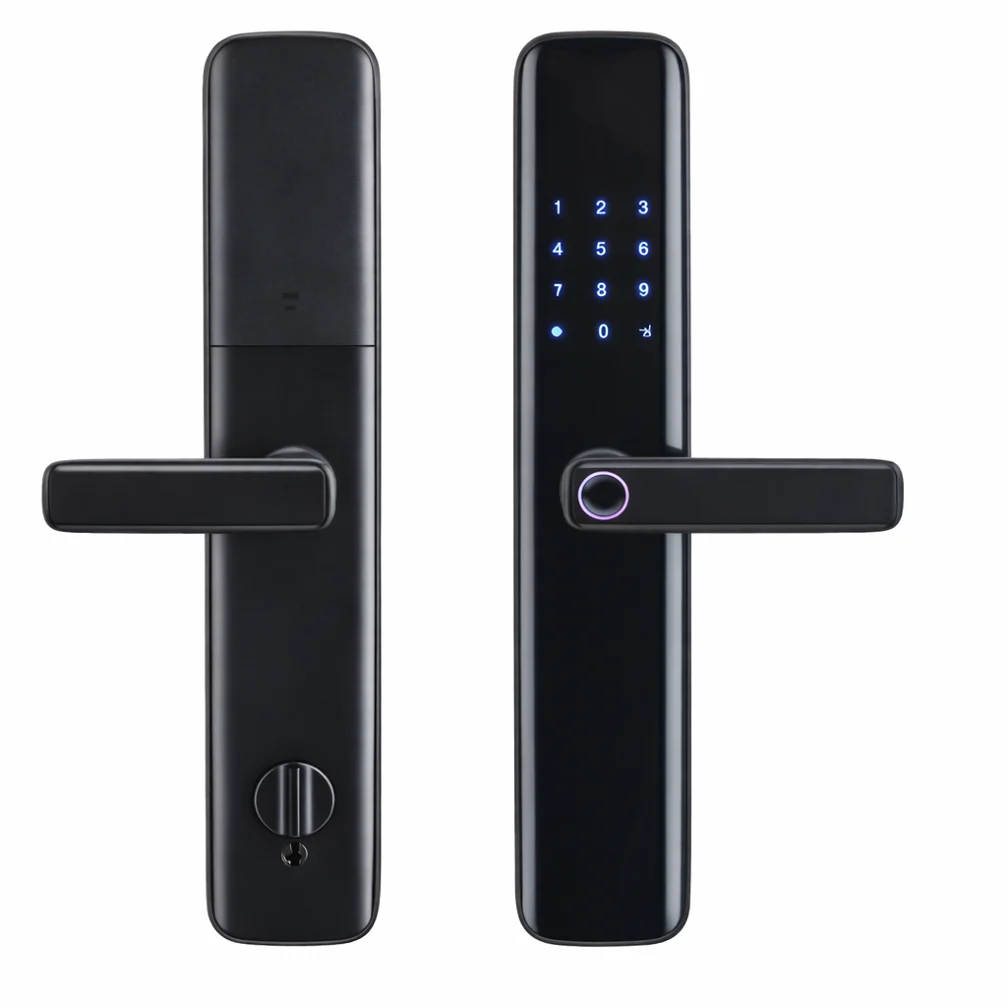
A smart door lock with several ways to open: fingerprint, card, PIN, key and app, with die-cast aluminium alloy front and rear panels, powered by 4 × AA batteries.
At a glance
- Opens by fingerprint, card, PIN, key, app.
- Die-cast aluminium alloy.
- 4 × AA batteries.
How does the smart lock work?
The lock replaces the ordinary lock with two panels: an outer one with the fingerprint reader, keypad and card reader, and an inner one with the batteries and handle. It connects over Wi-Fi so you manage users from the app and see the entry log, with the mechanical key kept for emergencies.
Related products
- NEXSC-B-10 control screen for intercom and door opening.
- NEXSE-DH-Z door sensor.
Technical data
| Item | Value |
|---|---|
| Brand | NEXSMART |
| Model | NEXLK-B1-W |
| Type | Smart Door Lock — Fingerprint, Card, PIN |
| Connectivity | Wi-Fi |
| Power | 4 × AA |
| Material | Die-cast aluminium alloy |
The critical point: door dimensions
Check the door thickness, type and existing lock cut-out before ordering, and keep the mechanical key somewhere safe outside the home for emergencies.
General notes
- Register more than one fingerprint per user.
- Use temporary codes for workers and visitors and cancel them afterwards.
- Aluminium and glass doors need the model made for them.
These are general notes
These points are general smart home installation practice, not taken from the NEXSMART datasheet. Electrical connections are made by a qualified electrician to the Saudi electrical code and the authority’s requirements.
Installation steps
- Measure the door and confirm it fits.
- Remove the old lock.
- Fit both panels and the lock body and tighten the screws.
- Insert the batteries and test opening with the key first.
- Register the admin and users and link the lock to the app.
Common mistakes
- Letting the batteries run completely flat.
- Not changing the default code.
- Ordering a lock that does not suit the door thickness.
Inspection and maintenance
Replace the batteries regularly before they run out, clean the fingerprint reader with a soft cloth, and review the user list regularly.
Files and ordering
No datasheet for this model is on the site yet; ask us for it on WhatsApp. When ordering, state model NEXLK-B1-W and the quantity.
How to buy
This product is sold directly in the Fu-Mech online store. If you would like to buy, press “Buy in store” at the top of the page to open its store page. For projects and large quantities, request a quote or contact us on WhatsApp.
Frequently asked questions
What if the batteries run out?
The mechanical key still opens the door, so replace the batteries early and keep the key somewhere safe.
Can I open the door remotely?
The lock connects over Wi-Fi and is managed from the app; remote opening depends on the model.
How many users can be added?
It depends on the model; check with us before ordering.
References
- NEXSMART — Model data
This page is general information to help with selection and purchase, taken from NEXSMART data. General points are common practice; the reference is the latest manufacturer data.