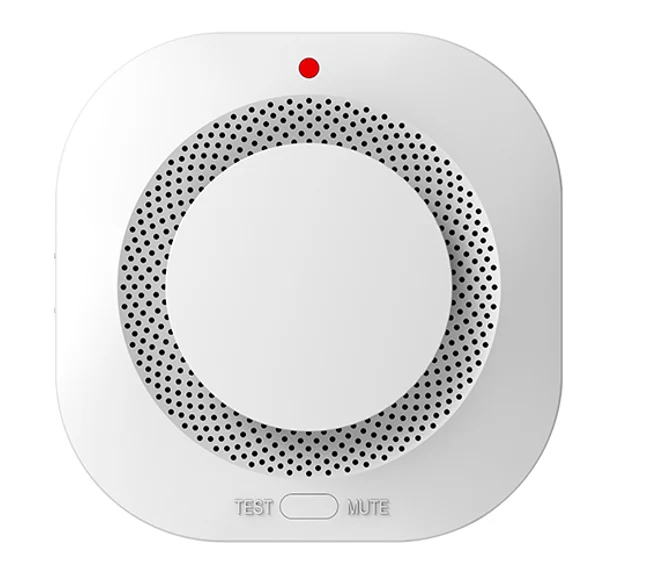
A Zigbee smart smoke alarm with 2 × AA batteries that warns early when smoke is detected and sends an alert to the phone.
At a glance
- 2 × AA batteries.
- Sounder plus phone alert.
- Does not replace an approved fire alarm system where Civil Defense requires one.
How does the sensor work?
The sensor sends its state wirelessly to the gateway over Zigbee, and the gateway runs the linked scene and sends a phone alert when needed. That is how the home acts on its own: lights on as you enter, AC off when the room empties, and an instant alert when something is wrong.
Related products
- A NEXHUB gateway or a NEXSC screen.
- NEXSW switches and NEXRE modules for automatic lighting.
- NEXAC AC controllers for occupancy-based control.
Technical data
| Item | Value |
|---|---|
| Brand | NEXSMART |
| Model | NEXSEN-SG-Z |
| Type | Zigbee Smart Smoke Alarm |
| Connectivity | Zigbee |
| Power | 2 × AA |
The critical point: mounting position
Sensor performance depends on its position: motion and presence sensors away from AC vents and direct sunlight, door sensors within the allowed gap between their two parts, and leak detectors at the point closest to the source of risk.
General notes
- Smart home sensors are for comfort and alerts and do not replace approved fire alarm systems where Civil Defense requires them.
- Test each sensor after installation and confirm the alert reaches the phone.
- Name sensors by room so you know where an alert comes from.
These are general notes
These points are general smart home installation practice, not taken from the NEXSMART datasheet. Electrical connections are made by a qualified electrician to the Saudi electrical code and the authority’s requirements.
Installation steps
- Add the sensor to the app through the gateway before fixing it.
- Choose the position to suit the sensor type.
- Fix the sensor (adhesive, screws or ceiling mount by model).
- Link it to the required scene.
- Test it and confirm the alert arrives.
Common mistakes
- Mounting a motion sensor facing an AC vent or a sunny window.
- Leaving the battery until it is fully flat.
- Relying on a smart detector instead of the approved alarm system.
Inspection and maintenance
Test the sensor regularly, replace the battery when the app shows a low-battery alert, and keep its surface free of dust.
Files and ordering
No datasheet for this model is on the site yet; ask us for it on WhatsApp. When ordering, state model NEXSEN-SG-Z and the quantity.
How to buy
This product is sold directly in the Fu-Mech online store. If you would like to buy, press “Buy in store” at the top of the page to open its store page. For projects and large quantities, request a quote or contact us on WhatsApp.
Frequently asked questions
Does the sensor need a gateway?
Yes, it uses Zigbee and needs a gateway or a screen with a built-in gateway.
How do I know the battery is low?
The app shows an alert for battery-powered sensors.
Does it replace a fire alarm system?
No, smart home devices do not replace the approved alarm system where Civil Defense requires one.
References
- NEXSMART — Model data
- Zigbee 3.0 — Wireless standard of the Connectivity Standards Alliance
This page is general information to help with selection and purchase, taken from NEXSMART data. General points are common practice; the reference is the latest manufacturer data.